

Samsung Smart Tags vs Apple Air Tags which is better?
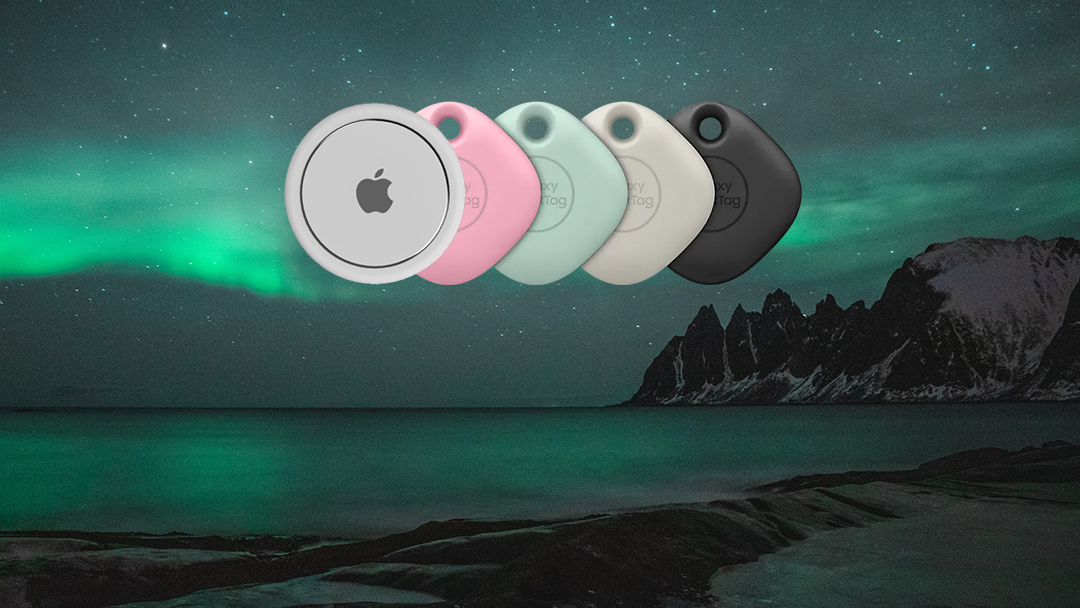
Firstly, if you have an Apple product you’re stuck with Air Tags and if you’re on Samsung, you’re stuck with Smart Tags but that doesn’t mean one cant be better than the other, right?
Some of us in the office are Android (Samsung) and others are Apple so we are able to get a fair comparison between them.
1. Which technology does each use?
Samsung Smart Tags: Bluetooth, Ultra-Wide Band Technology
Apple Air Tags: Bluetooth, Ultra-Wide Band Technology
2. Operating system and limitations
Samsung Smart Tags: Any Galaxy phone, but only the Galaxy S21 Plus, S21 Ultra and last year’s Note 20 Ultra support the UWB technology found in the SmartTag Plus
Apple Air Tags: It needs to support iOS 14.5, so nothing older than an iPhone 6s will work (However, Precision Finding is not necessary for basic Air Tags functionality.)
3. Will it work with my smart home?
Samsung Smart Tags:
Alexa, yes via smart things.
Google Home, yes via smart things.
Apple Air Tags:
Alexa, no.
Google home, no.
It is worth noting that there are some third-party apps and devices that claim that can make them compatible with other devices, we don’t have access to these so we can’t confirm or deny the claims.
4. Do they make noise?
Samsung Smart Tags: Simply put, yes.
Apple Air Tags: Also, yes.
5. What kind of battery is used?
Samsung Smart Tags: Replaceable CR2032 Battery
Apple Air Tags: Replaceable CR2032 Battery
That may mean nothing to you but if you remember (or still play) Pokémon Go! you may remember the Pokémon GO! plus watch they released.
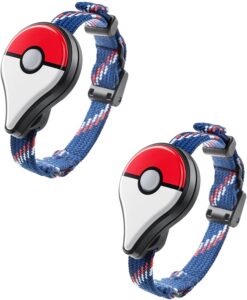
These used the same batteries and are easily available at a supermarket, I’ve even seen them in pound shops.
6. What happens if my tag gets wet?
Samsung Smart Tags: These tags are IP53 rated which means they are dust protected, so dust may get in there and it should be ok just a visual annoyance but if you get caught in a light shower your tag should be ok but you should take precautions, take the battery out and let it air dry.
Apple Air Tags: Are IP67 rated which is considerably better than IP53. It is 100% protected against solid objects like dust and sand, and it has been tested to work for at least 30 minutes while under 15cm to 1m of water.
7. What colour can I get my tag in?
Samsung Smart Tag: Black, Oatmeal, Pink, Mint
Apple Air Tag: Silver…Just silver. However, Apple does offer a custom engraving service on their tags (for free), they advise you use your initials so you know which is yours, they have blacklisted some words for obvious reasons.
8. How big are they?
Samsung Smart Tag: 38 x 38 x 8mm and weigh 12g
Apple Air Tags: 39.1 xx 39.1 x 8mm and weigh 11g
9. How much are they?
Samsung Smart Tag: £30 for one or £85 for four. I got mine free when I bought my S21 Ultra.
Apple Smart Tags: £29 for one or £99 for four.
When it comes down to it which one is actually better? They both have their pros and cons.
The technology is the same.
They both have some limitations, but I think I would give Samsung the edge because If you have Alexa or Google Home, you will be better off with the Samsung.
Noise wise there isn’t much in it if anything at all.
The batteries are identical and replaceable so that is a draw.
The fact that the Apple Air Tags are more weather resistant gives them a real edge compared to the Smart Tag.
The engraving is a nice touch from Apple bit I feel the colour variants may be more appealing to customers, this is subjective so I will call that a draw as well.
I don’t think the size and weight of these are really noticeable as they are very similar.
The cost, I am giving Samsung the point here because singly Apple takes the point by a very small margin but when you buy a pack of 4 Samsung are considerably cheaper.
Overall there really isn’t much difference between these devices, I prefer the Samsung Smart Tags myself but I am a Samsung used, I like that the Apple Air Tags are waterproof but honestly, the only big difference is being able to use the Samsung with your smart home, which as someone with an Amazon Echo in every room in the house is a big plus for me but like I said at the start of this blog, if you’re an Apple user you’re stuck with Apple and the same with Samsung.
For me the hardest thing is to find a good use for them, they have some uses but I don’t think they are necessary.
If you are interested in either of these products here direct links to them:
If you enjoyed this blog please consider subscribing to get notified when the next blog goes live or have a look at the other blogs by clicking here -> 😎


